Napkin AI ? Transforming Text into Visuals for Effective Business Communication
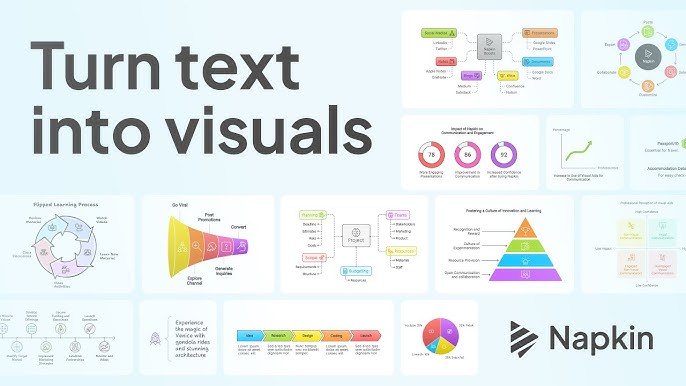
Napkin AI is an innovative platform that leverages artificial intelligence to convert textual content into compelling visuals. Designed to enhance business storytelling, it enables users to communicate ideas more effectively through automatically generated diagrams, flowcharts, and infographics.
What Is Napkin AI?
Napkin AI simplifies the process of creating visuals by transforming written text into editable visual representations. This tool is particularly beneficial for professionals who need to convey complex information clearly and efficiently, without the need for advanced design skills.
Key Features
1. Text-to-Visual Conversion
- Automatically generates visuals from textual input, eliminating the need for manual design.
2. Customizable Elements
- Offers a range of editing tools, including icons, decorators, connectors, colors, and fonts, allowing users to tailor visuals to their specific needs.
3. Export Options
- Visuals can be exported in various formats such as PNG, PDF, and SVG, facilitating easy integration into presentations, documents, and other platforms.
4. Collaborative Editing
- Supports real-time collaboration, enabling multiple users to work on the same visual simultaneously, enhancing team productivity.
5. User-Friendly Interface
- Designed with simplicity in mind, making it accessible to users with varying levels of technical expertise.
Who Is It For?
- Business Professionals: Individuals seeking to present data and ideas clearly in meetings, reports, and proposals.
- Educators: Teachers and trainers aiming to create engaging visual aids for instructional materials.
- Content Creators: Bloggers and social media managers looking to enhance their content with informative visuals.
- Project Managers: Teams needing to visualize workflows, timelines, and project plans for better coordination.
Benefits of Using Napkin AI
- Efficiency: Reduces the time and effort required to create professional-quality visuals.
- Accessibility: Eliminates the need for specialized design skills or software.
- Consistency: Ensures uniformity in visual presentations across different projects and teams.
- Cost-Effective: Offers robust features without the expense associated with traditional design tools.
Pricing Overview
Napkin AI currently offers two plans:
- Starter Plan: Free of charge, includes access to all editing tools, the ability to create up to three visuals, and community support.
- Professional Plan: Also free during the beta period, this plan provides unlimited visual creation, full customization options, collaborative editing, and priority support.
FAQs
Q1: Do I need design experience to use Napkin AI?
No, Napkin AI is designed to be user-friendly and does not require any prior design experience.
Q2: Can I collaborate with others on a visual?
Yes, the platform supports real-time collaboration, allowing multiple users to edit a visual simultaneously.
Q3: What formats can I export my visuals in?
You can export visuals in PNG, PDF, and SVG formats.
Q4: Is there a limit to how many visuals I can create?
The Starter Plan allows up to three visuals, while the Professional Plan offers unlimited visual creation during the beta period.
Q5: Will there be a cost to use Napkin AI after the beta period?
Currently, both plans are free during the beta. Pricing details post-beta have not been announced.









Reviews
Clear filtersThere are no reviews yet.