Salesforce Analytics ? AI-Powered Business Intelligence Platform
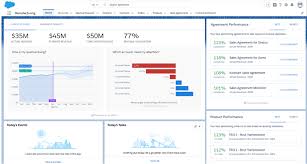
Salesforce Analytics is a comprehensive suite of AI-driven analytics tools designed to provide organizations with deep insights into their data. By integrating seamlessly with the Salesforce ecosystem, it enables users to make informed decisions through real-time data visualization, predictive analytics, and customizable dashboards.
What Is Salesforce Analytics?
Salesforce Analytics encompasses various tools, including CRM Analytics (formerly Tableau CRM) and Tableau, to deliver a unified analytics experience. These tools allow users to analyze data across multiple sources, uncover trends, and predict outcomes using advanced AI capabilities. With features like Einstein Discovery and prebuilt templates, users can quickly derive actionable insights without extensive technical expertise.
Key Features
1. CRM Analytics
- Provides native analytics within the Salesforce platform, offering AI-driven insights and customizable dashboards.
2. Tableau Integration
- Offers advanced data visualization and exploration capabilities, enabling users to create interactive and shareable dashboards.
3. Einstein Discovery
- Utilizes machine learning to deliver predictive and prescriptive analytics, helping users anticipate trends and outcomes.
4. Prebuilt Templates and Dashboards
- Includes industry-specific templates for quick deployment and standardized reporting.
5. Data Integration
- Allows seamless connection with various data sources, ensuring comprehensive data analysis across platforms.
6. Mobile Accessibility
- Enables users to access analytics and dashboards on mobile devices, facilitating decision-making on the go.
Who Is It For?
- Sales Teams: To monitor performance metrics and forecast sales trends.
- Marketing Departments: To analyze campaign effectiveness and customer engagement.
- Service Teams: To track customer service metrics and improve response times.
- Executives and Managers: To gain a holistic view of organizational performance and make strategic decisions.
- Data Analysts: To perform in-depth data analysis and create customized reports.
Benefits of Using Salesforce Analytics
- Enhanced Decision-Making: Provides real-time insights and predictive analytics to inform business strategies.
- Seamless Integration: Works natively within the Salesforce ecosystem, ensuring data consistency and ease of use.
- User-Friendly Interface: Offers intuitive tools and dashboards accessible to users with varying technical backgrounds.
- Scalability: Caters to organizations of all sizes, with customizable solutions to meet specific needs.
- Improved Collaboration: Facilitates data sharing and collaboration across teams and departments.
Pricing Overview
Salesforce Analytics offers various pricing tiers to accommodate different organizational requirements:
- CRM Analytics Growth: $140 per user per month (billed annually). Includes features like Analytics Studio, prebuilt dashboards, and data integration capabilities.
- CRM Analytics Plus: $165 per user per month (billed annually). Adds advanced features such as Einstein Discovery for predictive analytics.
- Revenue Intelligence: $250 per user per month (billed annually). Tailored for sales organizations, combining CRM Analytics Plus with additional tools like Tableau Explorer.
- Industry Cloud Intelligence: $250 per user per month (billed annually). Offers industry-specific analytics solutions for sectors like Financial Services, Healthcare, and Manufacturing.
- Service Intelligence: $250 per user per month (billed annually). Designed for service teams, providing actionable insights and AI-driven recommendations.
FAQs
Q1: Can Salesforce Analytics integrate with non-Salesforce data sources?
Yes, Salesforce Analytics supports integration with various external data sources, allowing for comprehensive data analysis across platforms.
Q2: Is Salesforce Analytics suitable for non-technical users?
Absolutely. Its intuitive interface and prebuilt templates make it accessible for users without technical backgrounds.
Q3: Does Salesforce Analytics offer real-time data analysis?
Yes, it provides real-time data processing and visualization, enabling timely decision-making.
Q4: Can I customize dashboards and reports in Salesforce Analytics?
Yes, users can create and customize dashboards and reports to meet specific business needs.
Q5: What kind of support does Salesforce provide for Analytics users?
Salesforce offers various support plans, including Premier and Signature Success Plans, which provide expert guidance, 24/7 support, and personalized assistance.








Reviews
Clear filtersThere are no reviews yet.