ArchiVinci ? AI-Powered Architectural and Interior Design Rendering
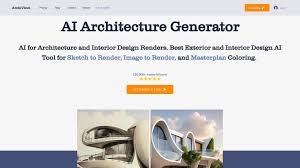
ArchiVinci is an AI-driven platform designed to transform architectural and interior design processes. By leveraging advanced algorithms, it enables users to convert sketches, photos, or 3D models into photorealistic renders, streamlining design workflows and enhancing visualization capabilities.
What Is ArchiVinci?
ArchiVinci serves as a comprehensive tool for architects, interior designers, real estate professionals, and homeowners. It facilitates the creation of high-quality renders for various design aspects, including interiors, exteriors, and masterplans. The platform offers modules that cater to different stages of the design process, from conceptualization to final visualization.
Key Features
1. Interior Design AI
- Transform photos, sketches, or 3D models into detailed interior renders.
- Customize designs by selecting room types, styles, and furniture preferences.
- Generate multiple design variations to explore different aesthetics.
2. Exterior Design AI
- Convert architectural sketches or models into realistic exterior visuals.
- Apply various architectural styles and materials to visualize different design options.
- Enhance presentations with high-quality exterior renders.
3. Masterplan AI
- Create comprehensive masterplan visuals with realistic coloring and detailing.
- Visualize urban layouts, including buildings, green spaces, and infrastructure.
4. Dream Module
- Generate complete architectural designs from text prompts, covering both interiors and exteriors.
- Ideal for conceptualizing new design ideas quickly.
5. Style Match Module
- Blend the aesthetic of a reference image with your design to achieve a desired style.
- Facilitates the exploration of different design inspirations.
6. Exact Render Module
- Produce detailed renders directly from 3D models without additional rendering processes.
- Maintains the integrity of textures and colors from the original model.
7. Modify Room and Modify Archi Modules
- Make targeted changes to specific areas of interior or architectural designs.
- Allows for quick adjustments without re-rendering the entire design.
8. Furnish Room Module
- Virtually stage empty rooms by adding furniture and decor elements.
- Enhances real estate listings and design presentations.
9. AI Image to Video
- Transform static renders into dynamic videos for presentations and portfolios.
- Ideal for showcasing designs in a more engaging format.
Who Is It For?
- Architects and Designers: Streamline the design process and visualize concepts effectively.
- Real Estate Professionals: Enhance property listings with high-quality visuals and virtual staging.
- Homeowners and Renovators: Explore design options and visualize home improvements.
- Educators and Students: Utilize as a teaching and learning tool for architectural and design concepts.
Benefits of Using ArchiVinci
- Efficiency: Accelerate the design process with quick render generation.
- Customization: Tailor designs to specific styles, preferences, and requirements.
- Visualization: Enhance understanding and communication of design ideas through realistic visuals.
- Accessibility: User-friendly interface suitable for both professionals and novices.
Pricing Overview
ArchiVinci offers various pricing plans to accommodate different user needs. While specific pricing details are not provided, users can access a range of features and modules based on their selected plan. For detailed pricing information, it’s recommended to visit the ArchiVinci website or contact their support team.
FAQs
Q1: Can I use ArchiVinci without prior design experience?
Yes, ArchiVinci is designed to be user-friendly and accessible to individuals without professional design backgrounds.
Q2: What file types can I upload to ArchiVinci?
You can upload photos, sketches, or 3D models of your designs.
Q3: Can I customize the AI-generated designs?
Absolutely. ArchiVinci allows you to modify and adjust designs to fit your specific preferences and requirements.
Q4: Is ArchiVinci suitable for commercial projects?
Yes, ArchiVinci is equipped to handle both residential and commercial design projects.
Q5: How does the AI Image to Video feature work?
This feature converts static design renders into dynamic videos, enhancing presentations and client engagement.










Reviews
Clear filtersThere are no reviews yet.