AI Ease ? Free AI-Powered Photo Editing Platform
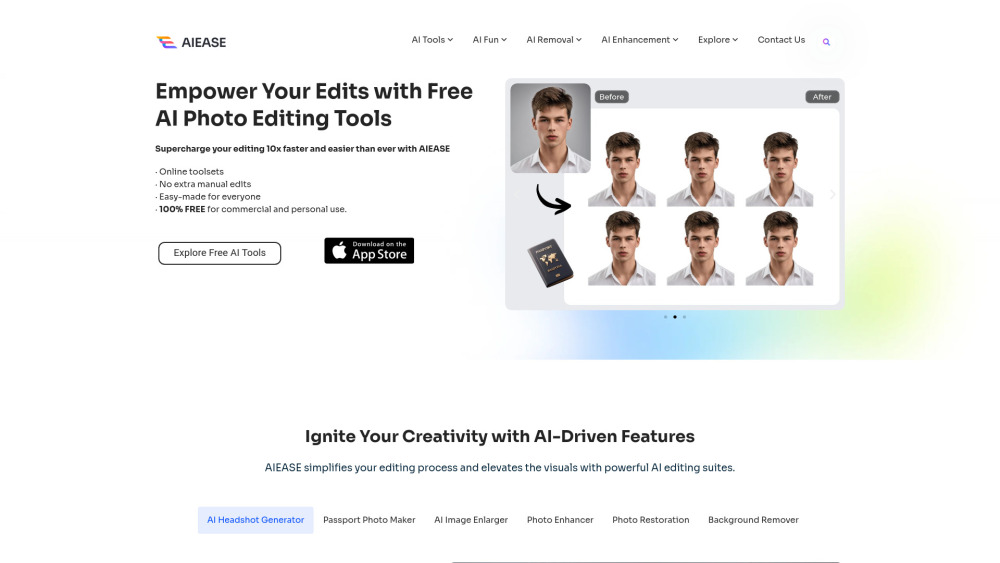
AI Ease is an online platform offering a comprehensive suite of AI-driven photo editing tools. Designed for both personal and professional use, it enables users to enhance, transform, and customize images effortlessly.
What Is AI Ease?
AI Ease provides a range of AI-powered tools that simplify complex photo editing tasks. From generating professional headshots to restoring old photographs, the platform caters to various creative and practical needs without requiring advanced editing skills.
Key Features
1. AI Headshot Generator
- Transforms selfies into professional-quality headshots suitable for resumes, business profiles, or social media.
2. Passport Photo Maker
- Creates compliant passport photos tailored to specific country requirements.
3. AI Image Enlarger
- Upscales images by 2x or 4x, enhancing clarity without compromising quality.
4. Photo Enhancer
- Improves image resolution, sharpness, and overall quality, making blurry photos clearer.
5. Photo Restoration
- Restores old or damaged photos by repairing imperfections and colorizing black-and-white images.
6. Background Remover
- Removes backgrounds from images swiftly, allowing for transparent or new backgrounds.
7. Watermark Remover
- Eliminates unwanted watermarks from images without affecting the original content.AI Ease
8. Object Remover
- Erases undesired objects or people from photos seamlessly.
9. AI Image Generator
- Converts text prompts into high-quality images, facilitating creative visual content creation.
10. AI Face Editor
- Enhances facial features by removing blemishes, wrinkles, and other imperfections while maintaining natural appearance.
Who Is It For?
- Individuals: Looking to enhance personal photos, create professional headshots, or restore old images.
- Businesses: Needing quick and efficient image editing for marketing materials, product photos, or branding.
- Content Creators: Seeking tools to generate unique visuals or enhance existing content for social media and other platforms.
- Photographers: Requiring advanced editing tools to refine images without extensive manual work.
Benefits of Using AI Ease
- User-Friendly Interface: Designed for users of all skill levels, making advanced editing accessible.
- Time-Efficient: Automates complex editing tasks, saving time and effort.
- Cost-Effective: Offers a wide range of tools for free, reducing the need for expensive software.
- Versatile Applications: Suitable for various purposes, from personal photo enhancement to professional content creation.
Pricing Overview
AI Ease operates on a freemium model:
- Free Access: Provides access to a broad selection of tools without any cost.
- Pro Plan: Offers additional features and resources for users requiring advanced capabilities.
FAQs
Q1: Do I need to create an account to use AI Ease?
While many tools are accessible without an account, creating one allows you to save your work and access additional features.
Q2: Is AI Ease suitable for professional photo editing?
Yes, AI Ease offers tools that cater to professional standards, including high-resolution enhancements and precise editing features.
Q3: Can I use AI Ease on mobile devices?
AI Ease is accessible through web browsers on various devices, including smartphones and tablets.
Q4: Are there any limitations on the free version?
The free version provides substantial functionality, but the Pro Plan unlocks additional tools and resources.
Q5: Is my data secure on AI Ease?
AI Ease is committed to user privacy and employs measures to protect your data.








Reviews
Clear filtersThere are no reviews yet.