Vyond, a leading AI-powered video creation platform designed for businesses to produce engaging animated and live-action videos.
Key Points:
Purpose: Vyond enables businesses to create professional, impactful videos quickly and effortlessly, targeting industries like marketing, training, eLearning, and corporate communications. It aims to transform static content into dynamic visuals that boost engagement, with over 65% of Fortune 500 companies as users.
Core Features:
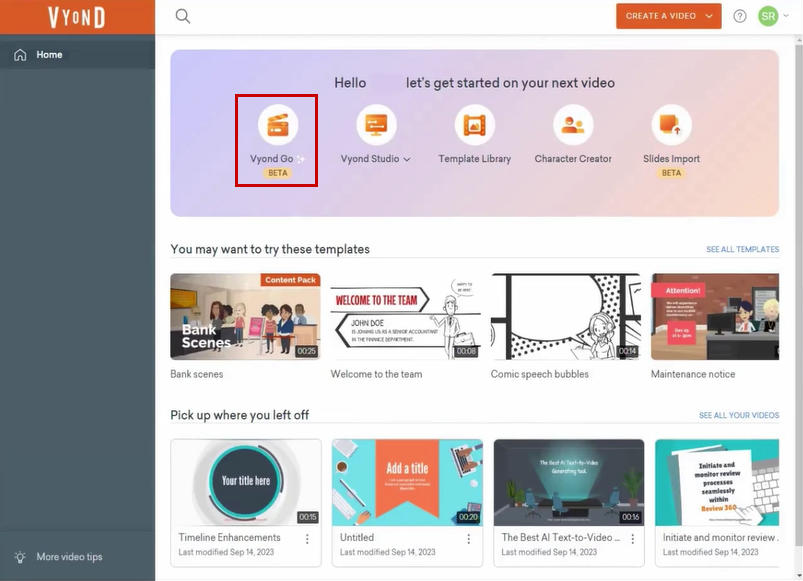
Vyond Go: An AI-driven instant video maker that generates editable scripts and videos from text prompts in under a minute. Supports styles like animated, photorealistic, and mixed media, with options to refine in Vyond Studio.
Vyond Studio: A full-featured, drag-and-drop video editor with thousands of pre-animated assets (characters, props, backgrounds), customizable templates, and over 40,000 actions. Features include background removal, instant translation into 70+ languages, voiceover enhancement, and character animation from uploaded videos.
Vyond Mobile: A companion app for creating, editing, and sharing videos on the go, with Smart Capture to integrate real-world photos into scenes. Available on Android and iOS.
Asset Library: Offers tens of thousands of props, characters, music tracks, and sound effects, plus integrations with Shutterstock and WellSaid Labs for stock media and ultra-realistic text-to-speech.
Brand Management: Includes a Brand Kit for logos, fonts, and colors, company watermarks, and approval workflows to ensure brand consistency across teams.
Collaboration Tools: Supports team sharing, file permissions, and real-time collaboration, with enterprise-grade security features like SSO, ISO 27001 certification, GDPR/CCPA compliance, and optional data partitioning.
Generative AI: Creates custom visuals, backgrounds, or avatars on demand, with tools like Text-to-Image and Video-to-Action for dynamic animations.
Export Options: Videos downloadable as MP4, GIFs, or presentations, with 1080p export and customizable aspect ratios in higher plans. Integrates with LMS platforms and hosting services.
Benefits:
Speed: Reduces production time by up to 75%, with users completing videos in 3-4 hours versus weeks for traditional methods.
Ease of Use: Intuitive interface requires no animation skills, with a drag-and-drop editor praised for accessibility (4.7/5 on G2).
Engagement: Drives 10x audience engagement, as reported by clients like Whole Foods and Indeed, with 83% of learners preferring video over text.
Cost Savings: More affordable than in-house production or agencies, with users like Jason Ferguson noting it?s ?less expensive and labor-intensive.?
Versatility: Supports diverse use cases, from training to marketing, with styles ranging from cartoon to photorealistic.
Use Cases:
Learning & Development: Creates engaging training videos, with clients like Michigan State University reporting better departmental reception.
Marketing/Sales: Produces personalized pitches and ads, helping companies like American Express boost conversions.
Compliance: Animates legal or cybersecurity topics, with Illinois Courts noting positive feedback from judges and clerks.
Corporate Communications: Enhances onboarding and internal updates, as seen with a cruise company?s post-pandemic staff training.









Reviews
Clear filtersThere are no reviews yet.